
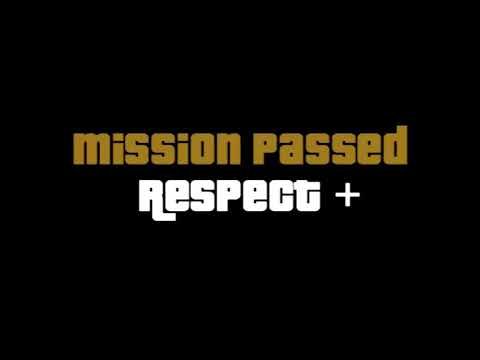
If you have played older Grand Theft Auto games, you probably remember that iconic feeling at the end of every job. The music plays, the screen freezes for a second, and a big “Mission Passed” banner pops up with your cash reward and stats.
In GTA 6, Rockstar Games decided to remove that classic screen completely. When you finish a mission, the game smoothly puts you right back into the open world without any loud pop-ups. Here is a simple breakdown of why Rockstar made this change and how the game shows your progress now.
Why Rockstar Removed the “Mission Passed” Screen
1. Making the Game Feel Smooth and Natural Rockstar wanted GTA 6 to feel like one big, living world not a game made of separate levels. When a big “Mission Passed” box pops up, it breaks your focus and reminds you that you are just playing a video game. By removing it, the end of a mission blends naturally into regular free roam, much like Red Dead Redemption 2.
2. No More Gold Medals or Mission Replays In GTA 5, that end screen was mostly there to show you a scorecard with Bronze, Silver, or Gold medals for things like headshots and speed, so you could replay missions later. GTA 6 removed both the medal system and the mission replay menu. Since Jason and Lucia’s choices actually affect the world around them, Rockstar treats every mission like a real, one-time event in their lives rather than a level you replay for a high score.
3. Keeping the Story Serious and Cinematic GTA 6 aims for a much more realistic, movie like feel. Just like the game removed clutter from the mini map, cutting out the flashy “Mission Passed” banner keeps the screen clean. If a mission ends on a tense or emotional moment, the game lets you sit with that feeling instead of interrupting it with arcade style text.
How GTA 6 Shows Your Progress Instead
1. The Story is Divided into Five Chapters Instead of tracking progress mission-by-mission with scorecards, GTA 6 breaks its main story into an opening Prologue and five main chapters:
-
Chapter 1: Just Like Paradise
-
Chapter 2: Paradise Lost
-
Chapter 3: Tits, Ass, Drug Money
-
Chapter 4: Vice City, Baby
-
Chapter 5: Top of the World, Ma
2. Simple Title Cards for New Chapters Even when you finish an entire chapter, you still will not see a “Chapter Complete” screen with stats. Instead, during a big story cutscene, a clean title card simply appears on the screen to introduce the next chapter you are starting. This usually happens during a major turning point like switching between Jason and Lucia, moving to a new part of the map, or jumping forward in time.
3. Checking the Story Recap in the Menu If you ever want to check how far you are in the game or remind yourself what happened earlier, you can open the pause menu and look at the Story Recap. It works like a simple journal that summarizes everything Jason and Lucia have done so far, keeping the main screen completely clutter-free while you play.